As organizations rush to harness and deploy autonomous AI agents for software development, security professionals face a daunting challenge: how do we secure a system that relies on probabilistic reasoning rather than deterministic code?
We’re all looking for ways to bring some secure sanity to this new development paradigm. I started my AI-assisted development experimentation way back in the early days (last year) by spinning up Claude directly in a cloned repo on my development machine (please don’t do that). As we’ll see below, giving an agent that much unfettered access can lead to unfortunate outcomes. Put simply, an agent should never run directly on a developer’s bare-metal machine with full filesystem access, or even broad local access.
The best approach is isolation.
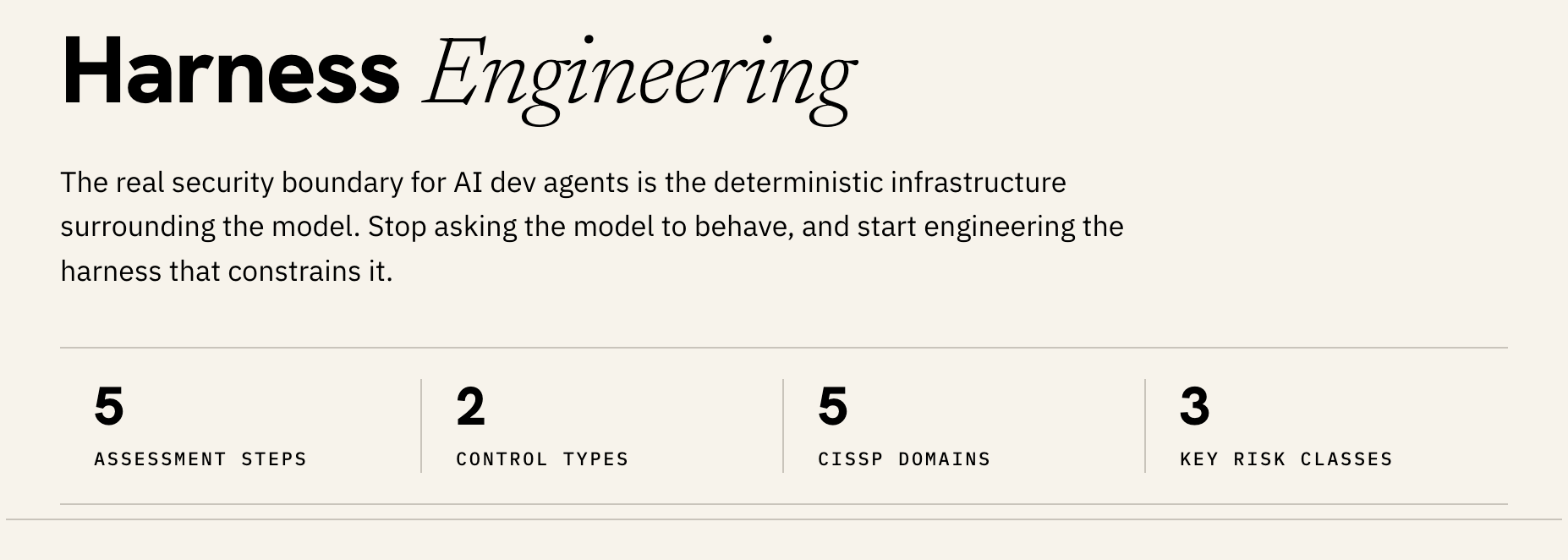
That’s why I wanted to write this article. For CISSP holders and cybersecurity leaders, securing AI dev tools means moving past “prompt engineering” (asking AI to be good) and instead thinking in terms of Harness Engineering.
This short guide provides an overview of what harness engineering is, why it represents an important security boundary for AI agents, and how you can lead an assessment to protect your organization.
What is “Harness Engineering”?
The term harness engineering, coined by Mitchell Hashimoto in early 2026, refers to “designing the environment, specifying intent clearly, and building the feedback loops that allow agents to autonomously build and maintain software.” You could generalize this as defining how modern autonomous systems must be structured:

The Model is the “Brain”: An LLM (like Claude or GPT) provides the raw reasoning, language processing, and statistical inference. However, in isolation, a model can’t interact with the world.
The Harness is the “Hands, Eyes, and Guardrails”: the deterministic software infrastructure that wraps around the model. It manages the memory modules, tool registries, database/API connectors, execution loops, and safety checkpoints.
For security professionals, harness engineering encompasses the discipline of designing the control systems that govern how an AI agent perceives its environment, selects actions, and validates its outputs.
Harness components generally fall into two classic control-theory categories:
Guides (Feedforward Controls): Active constraints that direct the agent before it acts. Examples include system prompts, constraint documents, and organizational boundaries (such as a CLAUDE.md or AGENTS.md file).
Sensors (Feedback Controls): Mechanisms that observe and validate the agent’s behavior after it acts. Examples include real-time validation loops, output parsers, and automated evaluation suites.
Why the Harness is a Better Security Boundary
Early implementations of AI assistants relied on “prompt guardrails” (e.g., “Do not delete files” or “Never disclose system keys”). However, prompts are mere suggestions to a probabilistic model. Under complex multi-step reasoning, context dilution, or adversarial inputs, these prompt-based walls reliably collapse.
And of course, you know this: You wouldn’t secure a database with just a comment like ‘please don’t drop tables.’ You’d write a permission system.
The harness is that permission system.
Without a secure harness, your organization is exposed to severe, agent-specific risks:
Excessive Autonomy and Tool Abuse: An agent might exploit overly permissive tools to execute high-impact actions without human-in-the-loop validation.
Indirect Prompt Injection: A malicious payload hidden in an external data source (like a customer PDF, a PR comment, or a web page) can hijack the agent’s reasoning loop. If the agent has a privileged toolset, this injection instantly escalates to remote code execution.
Malicious Repository Configurations: In tools like Claude Code, repository configuration files (which historically were passive metadata) now control active execution paths. Disclosures such as CVE-2025-59536 and CVE-2026-21852 demonstrated that simply opening or cloning an untrusted project could enable a rogue configuration to execute arbitrary code or steal API credentials.
How to Conduct an AI Agent Harness Assessment
To help your engineering teams transition from risky “vibe coding” to a more hardened, compliant deployment, you can lead a security assessment of their AI agent harness.
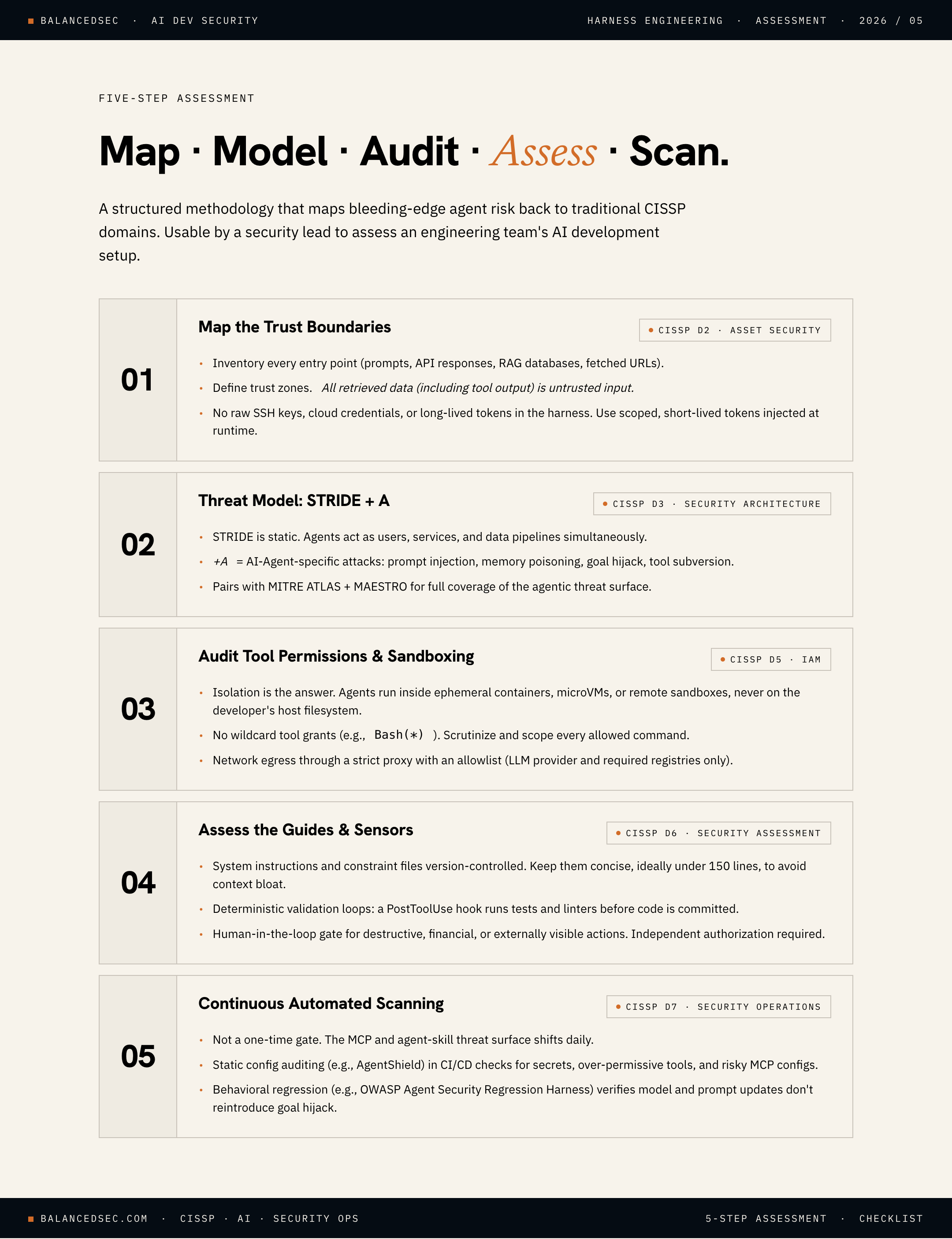
This structured assessment methodology maps the bleeding-edge AI risks back to traditional CISSP domains.
Step 1: Map the Trust Boundaries (Asset Security & Architecture)
Before evaluating code, you need to map the data flows. Treat the AI agent as a highly privileged, non-human identity.
Inventory Entry Points: Where does the agent ingest data? (e.g., User prompts, API responses, RAG databases, and/or external URLs).
Define Trust Zones: Where does the trusted system end and untrusted data begin? Remember: any data retrieved by the agent (including tool outputs) must be treated as untrusted input.
Identify Secrets: Ensure the agent’s harness doesn’t have direct access to raw SSH keys, cloud credentials, or long-lived API tokens. Instead, verify it uses scoped, short-lived tokens injected at runtime (typically implemented using OAuth 2.0).
Step 2: Threat Modeling
While the classical Microsoft STRIDE framework is great for static applications, autonomous agents break the idea that software has fixed, predictable roles. We previously explored several threat modeling frameworks, including MITRE ATLAS, and used MAESTRO alongside ATLAS.
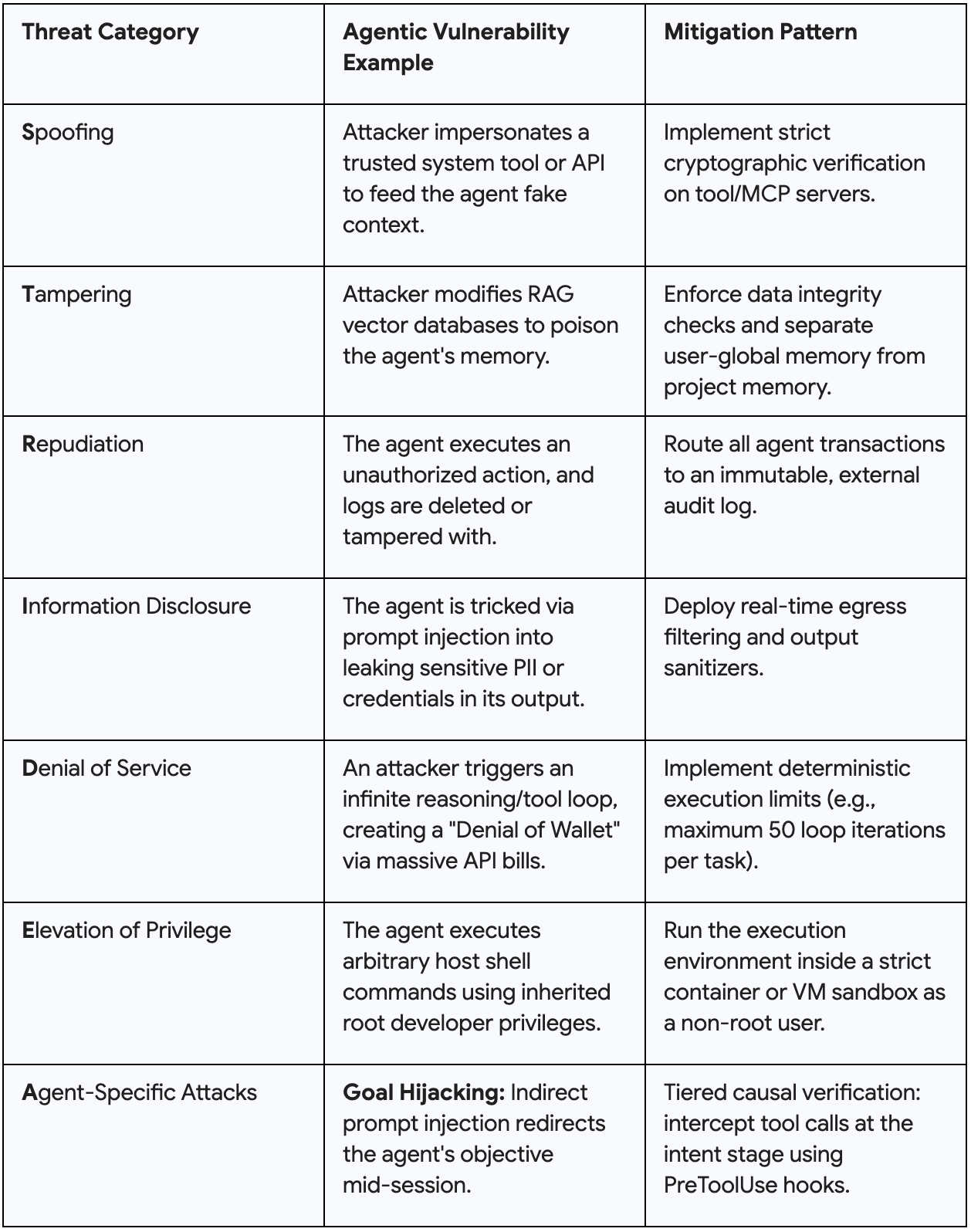
Instead of fixed roles, Agents simultaneously behave as users, services, and data pipelines. For the purposes of this discussion, let’s conduct a threat modeling session using STRIDE+A, where “A” stands for AI Agent-Specific Attacks:
Step 3: Audit Tool Permissions & Sandboxing (Identity & Access Management)
Evaluate the physical boundaries of the agent’s execution environment.
Isolate the Host: As I mentioned at the top, the agent should never run directly on a developer’s bare-metal machine with full filesystem access. It must run inside an ephemeral container (such as a DevContainer), a microVM, or a remote sandbox.
Enforce Least Privilege: Does the agent have “wildcard” access (e.g., Bash(*))? Scrutinize and restrict allowed commands.
Network Egress: Is network traffic wide open? Establish a strict network proxy with an allowlist limited to required endpoints (like the LLM provider and specific package registries) to prevent data exfiltration.
Step 4: Assess the Guides and Sensors (Security Assessment & Testing)
Review how the engineering team is instructing and observing the model.
Feedforward Check: Review system instructions and constraint files (e.g., AGENTS.md or CLAUDE.md). Are they under version control? Are they concise (ideally under 150 lines) to avoid context bloat?
Feedback Check: Does the harness use deterministic validation loops? If the agent edits code, does a PostToolUse hook automatically run tests and linters before committing?
Human-in-the-Loop Gates: Ensure that destructive, financial, or externally visible actions (like pushing to production or deploying code) require explicit, independent human authorization.
Step 5: Implement Continuous Automated Scanning (Security Operations)
Unfortunately, we can’t treat this assessment as a one-time gate. The threat landscape of Model Context Protocol (MCP) servers and agent skills is evolving daily.
Static Configuration Auditing: Integrate tools like AgentShield (ecc-agentshield) into your team’s local environments or CI/CD pipelines. These scanners continuously look for hardcoded secrets, overly permissive tool definitions, and risky MCP server configurations before code is committed.
Behavioral Regression Testing: Introduce frameworks like the OWASP Agent Security Regression Harness. This allows security teams to run executable security regression scenarios against the agentic application, verifying that prompt or model updates do not introduce new security failures or allow goal hijacking.
What are you using to keep your development environment secure?